The right Powerwall capacity depends on three things: how much energy your home uses, how much your solar panels produce, and how long you need power to last during an outage. To choose right powerwall capacity for your home energy storage, you will work through four inputs: consumption data, solar output, backup goals, and budget.
The stakes are real. About 28.3% of U.S. homeowners report a power outage within a year, and the average U.S. household uses roughly 10,791 kWh annually, or about 899 kWh per month. That spread matters when you compare a 10kwh powerwall against larger options.
The steps ahead turn these factors into one concrete capacity choice.
Key Takeaways
-
Check your utility bills to find your daily energy use.
-
Match battery capacity to your solar panels' daily output.
-
Decide how long you need backup power during outages.
-
Compare costs and incentives to get the best value.
-
Choose a capacity that balances your needs and budget.
Specs to Choose Right Powerwall Capacity
Usable Storage Capacity
Start with usable storage capacity, not the nameplate number on the box. Each Tesla Powerwall 3 unit gives you 13.5 kWh you can actually draw, and an Expansion unit adds another 13.5 kWh alongside it. Think of 13.5 kWh plainly: it runs a 13.5 kW load for one hour, or a 1 kW load for 13.5 hours.
That figure is your building block. A single unit is a 10kwh powerwall-class step up for modest homes, two units land near a 20kwh powerwall, and a 15kwh powerwall sits between them. Other home batteries publish different energy capacity, so compare usable storage, not nominal ratings.
| Manufacturer & Model | Usable Energy per Unit |
|---|---|
| Enphase IQ Battery 10C | 10 kWh |
| Tesla Powerwall 3 | 13.5 kWh |
| FranklinWH aPower 2 | 15 kWh |

Power Output and Efficiency
Energy tells you how long a battery lasts. Power tells you how much power the battery can provide at once. The continuous power output of a Powerwall 3 is 11.5 kW, which equals 48 amps on a 60 amp breaker. It also handles 185 LRA of motor-starting surge, so air conditioners and well pumps kick on without trouble.
| Specification | Value |
|---|---|
| Continuous power output | 11.5 kW |
| Peak motor-starting capability (LRA) | 185 A, under 1 second |
You can stack up to 4 Powerwall 3 units for more capacity and output. Greensun builds lithium LiFePO4 home batteries with similar inverter compatibility, including Deye, Sungrow, and Growatt. Whatever brand you pick, read usable kWh and continuous kW together — a battery can hold plenty of energy yet fail to start a large motor.
For comparison, GREENSUN offers LiFePO4 Powerwall Home Batteries in several capacity options for residential energy storage.
Calculate Daily Home Battery Needs
Start With Utility Bills
Your utility bill is the fastest shortcut to your average daily household electricity use. Find the monthly consumption figure in kwh, then divide it by the number of days in that billing period. A bill showing 900 kwh across 30 days works out to 30 kwh per day. Pull three or four consecutive bills and average them, because heating and cooling months swing widely.
A smart meter or a home energy app gives you the same answer with finer detail. These tools track real-time usage, so you can see which hours carry the heaviest load. That matters later, when you decide how much power you need to cover an evening or a full outage day.
One caution: the total on your bill includes flat fees and taxes. Divide only the electricity portion by consumption to find your true rate per kwh. This step keeps your budget math honest.
Measure Appliance Loads
Bills give you a total. Appliance math shows you where the energy goes. List the devices you would actually back up, note the wattage on each label, and multiply wattage by daily hours of use. A 150 W device running 8 hours draws 1,200 Wh per day. Divide by 1,000 and you get 1.2 kwh per day. Multiply by 30 days for a monthly estimate of 36 kwh.
Here are typical wattage ranges to start your list:
| Appliance | Typical Wattage (W) |
|---|---|
| Refrigerator | 100–800 |
| Microwave oven | 600–1,200 |
| Washing machine | 400–1,400 |
| Space heater | 750–1,500 |
| TV | 50–400 |
| Laptop | 20–75 |

Add the daily kwh for every essential item. The total is your energy used per day for backup purposes, and it is usually far below your whole-home figure. This is also where you learn how much energy your devices use together. Running many appliances at the same time raises both kilowatt-hours and the peak power your home battery must deliver.
Compare that total against battery sizes. A 10kwh powerwall suits a lean essentials list. A 15kwh powerwall covers more comfort loads, and a 20kwh powerwall handles heavier daily consumption. Greensun's LiFePO4 home batteries pair with Deye, Sungrow, and Growatt inverters, so you can size storage around your measured daily consumption rather than a guess.
Match Home Battery to Solar Output
Size for Self-Consumption
Your panels set a practical ceiling on useful storage. Estimate daily production as system size in kW × peak sun hours × a derate factor of 0.75–0.85. A 6 kW array in a 5 peak-sun-hour location makes about 24 kwh per day after an 0.80 derate. Peak sun hours swing widely by region, though. Arizona averages 6.5 and Washington averages 3.8, so identical arrays in those states deliver very different daily totals. Check your own state's figure before you commit.
Then aim storage at 60–80% of that daily output. A smaller home using about 17.5 kwh per day, with roughly 65% spent after sunset, fits one 13.5 kwh unit. A larger home near 20 kwh per day leans toward a bigger pack. One Powerwall suits modest evening shifting, while bigger arrays justify stacked units. That 60–80% rule also stops you from buying storage your panels cannot refill on a short winter day.
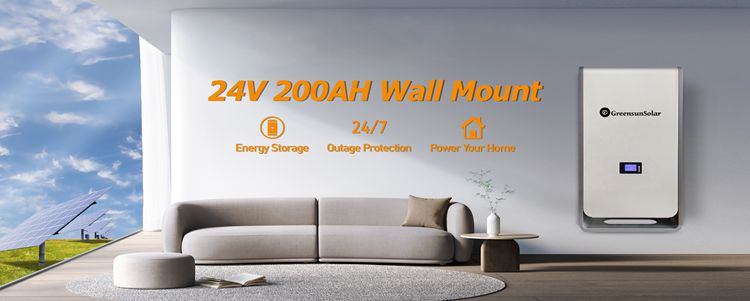
Greensun is one example of a hybrid storage manufacturer. Its lithium LiFePO4 home batteries come in 10 kwh, 15 kwh, and 20 kwh powerwall sizes, and they pair with inverters compatible with Deye, Sungrow, and Growatt. That flexibility helps when you compare home energy storage systems across brands.
To compare storage configurations for different solar production levels, see GREENSUN's Battery Energy Storage Systems.
Size for Backup First
Flip the priority if outages worry you more than bills. Whole-home backup sizing starts from your essential load and your target runtime, not from panel output. A single unit covers a lean essentials list for hours. A solar battery for home backup that must ride out multi-day storms needs far more capacity. Most outages last a few hours, so a modest bank handles the common case, while long storm seasons push you toward two or three units.
Treat solar as a refill source here. Panels recharge the pack between outages, yet cloudy stretches cut production well below the yearly average. Size the bank for the worst week you expect, and confirm continuous kW covers your surge loads. Every home battery has limits, so match the inverter and the stack count to your motor-starting demand. That approach keeps your home backup plan realistic.
Examples and Off-Grid Home Batteries
Small, Medium, and Large Homes
Worked examples make the sizing math concrete. The table below uses illustrative estimates, so treat the numbers as a starting point, not a quote.
| Home Size | Daily Consumption | Backup Goal | Recommended Units |
|---|---|---|---|
| Small (1,800 sq ft) | 30 kwh/day | 12 hrs essential loads (12 kwh) | 1–2 units |
| Medium (2,200 sq ft) | 40 kwh/day | 24 hrs essential loads (15 kwh) | 2 units |
| Large (3,500 sq ft) | 65 kwh/day | 48 hrs whole home (130 kwh) | 4–5 units |
For the small home, 12 divided by 13.5 equals 0.9, so one unit covers the goal and a second adds redundancy. The medium home needs 15 divided by 13.5, which rounds up to 2 units. The large home divides 130 by 13.5 for 9.6, yet solar recharging trims that to 4–5 stacked units. That is how many batteries a big house really needs.
A simpler shortcut: a home using 10–15 kwh per day fits one 13.5 kwh unit for partial backup, a 20–30 kwh home needs two, and a 40+ kwh home needs three to four. Greensun's 10kwh powerwall, 15kwh powerwall, and 20kwh powerwall options give you similar steps to compare.
Off-Grid Minimums
Off-grid sizing starts from a different question: how much usable storage carries you through the night and the clouds that follow? The standard relation is total battery capacity in kwh = (average daily energy use in kwh × days of autonomy) / (depth of discharge × system efficiency). For 10 kwh per day, 2 days of autonomy, 90% depth of discharge, and 85% efficiency, that works out to about 26.14 kwh. So your bank must reach roughly 26.14 kwh in this scenario.
Most off-grid systems aim for 2–3 days of autonomy. A property with an automatic backup generator can plan about 2 days, while a remote cabin without one should plan closer to 4 or 5 days.
Two more minimums matter. First, continuous kW must cover your surge loads, since motor starting draws far more than steady running. Second, you need inverter and charger equipment compatible with your bank. Greensun's lithium LiFePO4 home batteries pair with Deye, Sungrow, and Growatt inverters, which helps here.
Check usable storage capacity before you commit. Then confirm your energy used per day, and you can choose right powerwall capacity with confidence.
Plan Backup Duration and Budget
Runtime Under Different Loads
Runtime math is simple. Divide usable storage by your average essential load in kW. One 13.5 kWh unit with a 1.5 kW load runs about 9 hours: 13.5 kWh ÷ 1.5 kW = 9 hours. Two units give 27 kWh and roughly 18 hours. A 20 kWh bank carries a 2 kW load for about 10 hours. This estimate assumes a steady load and ignores conversion losses, so treat it as a ceiling rather than a promise.
Load choice decides how long your house can run. A basic outage setup — lights, router, phones, laptop — draws roughly 300–800W. Add a refrigerator and you land near 700–1,500W. A comfort setup with a microwave pushes past 1,500W. List your critical loads first, then divide. That list also shows how much energy your devices use, measured in kilowatt-hours, so one home battery covers a lean plan and a bigger bank covers a fuller one.
Pricing, Incentives, and ROI
Cost scales with unit count. Tesla lists one 13.5 kWh Powerwall at $12,850 before installation and four at $37,900. Labor for a single unit runs about $6,100, and a critical load panel adds $1,100 to $3,000. The 30% federal Investment Tax Credit applies nationwide with no dollar cap, and state programs like California's SGIP or New York's NYSERDA rebates stack on top. A whole-house backup goal needs more units than an essentials-only plan, so match the count to your runtime target before you price anything.
Run a simple ROI. Take an $18,000 system, subtract the 30% credit ($5,400), and your net cost is $12,600. At $1,500 in annual savings, payback lands at 8.4 years and 15-year ROI reaches 78.6%. Every kWh you shift from peak rates adds savings. Other home batteries price differently — LG's RESU 16H Prime sits near $563 per kWh pre-install, while SunPower's SunVault 13 runs about $1,231 per kWh post-install. Greensun's LiFePO4 home battery line gives you another comparison point. Weigh backup value against bill savings, then choose right powerwall capacity for your budget.
For additional residential storage configurations, see GREENSUN's Wall-Mounted LiFePO4 Powerwall Batteries.
You now have a clear path. Check the specs, review your bills to size daily use, match storage to solar output, confirm your backup runtime, then weigh cost and incentives. Greensun's 10kwh powerwall, 15kwh powerwall, and 20kwh powerwall options give you real steps to compare along the way.
No single size fits every home. The right capacity balances your energy needs, solar production, and budget. A lean essentials plan and a whole-home goal lead to very different stacks.
Ready to decide? Talk to a certified installer. A site-specific assessment turns these steps into a firm quote, and you can choose right powerwall capacity with confidence.
FAQ
How many units does a typical home need?
Most homes land between one and three units. A small home using 10–15 kwh per day fits one unit for partial backup. Bigger homes stack two to four.
Can one unit run my air conditioner?
Usually yes. Powerwall 3 delivers 11.5 kW continuous and handles 185 LRA of motor-starting surge. Check your AC's locked rotor amps first.
Is a small battery enough for whole-home power?
Rarely. A 10kwh powerwall covers essentials for hours. Whole-home coverage needs more. Greensun's 10kwh, 15kwh, and 20kwh powerwall options give graded steps to compare.
How long will my battery last during an outage?
Divide usable storage by your average load. One 13.5 kwh unit with a 1.5 kW load runs about 9 hours. Two units double that.
Do incentives lower the cost?
Yes. The 30% federal Investment Tax Credit applies nationwide with no dollar cap. State programs stack on top. Confirm current rules with your installer before you buy.